TWELVE STEPS: Twelve lessons for using Twitter in local government


It’s now not why local government uses Twitter but how.

More than a hundred UK councils are on the micro-blogging platform.
That’s progress.

Since late 2008 we’ve been using Twitter at Walsall Council to inform and engage.

We’re fortunate our head of communications Darren Caveney and head of press and PR Kim Neville were quick to spot the potential.

More than 6,000 tweets on and there are a series of lessons we’ve learned.

In one of the first blogs I ever wrote I talked of the 27 things that work on a local government Twitter stream.

For a presentation at LG Comms in Nottingham I boiled that down to 12 key lessons.

The slides are available on slideshare (click the link above).

#12 LESSONS FOR USING TWITTER IN LOCAL GOVERNMENT

#1: Realise that the landscape has changed (and your skills need to too.) You know that a few years ago that writing a press release and booking a photo call was enough? That’s still a great skill. But you need other things too.

#2: The channels of communication have changed. In the old days there was the newspapers. Maybe the radio. Every now and then TV would show up and it would be a really big thing. They’re still there. In some cases just or not at all. It’s just that people get their news in different ways now. Remember, Facebook is the fourth biggest news site on the internet.

#3: Learn the language of the platform first (by messing about with it yourself.) When you start to use Twitter – or any other platform – you’ll notice that there is a different way of talking to people. It’s a lot more relaxed and conversational. Get to know how things work under your own name. Once you build some confidence up you’ll be up to speed on how to use it for your organisation.

#4: You can’t control the message. It’s a big one for press officers this. In the old days there may have been key messages. There’s still things you want to say. Just realise that this stuff works as a conversation. So be conversational.

#5: It’s okay to be a human voice. What works best on Twitter is a relaxed tone. It’s not about linking to an RSS feed and tweeting the first 140 characters of a press release. That’s just shouting. A police officer once told me that as a beat officer he would start conversations with people. Then he’d slip in some information he thought may be of help. That’s what Twitter does. It’s probably why many police officers are very good at it.

#6: Link. Share. Retweet. Be web 2.0. It’s okay to retweet. So long as it’s third sector or public sector. Spotted a police witness appeal on Twitter? Link to it. Charity car wash in your borough? Link. Share. Earn social capital. Be a responsible council. Share interesting content.

#7: Take the argument offline. It’s never a good idea to have a row in public. Point people to the place where they can get information that can help. Most non-trolls are fine with this.

#8: Take the re-buttal online. Is your local paper circulating via Twitter a link you have a major issue with? Have they failed to include your statement adequately? Post the statement online. Link to it. Tweet it to them – and your followers.

#9: Service areas work well on Twitter (so be prepared to share). It’s fine for comms to use it. Others can too. There’s no-one better at knowing what’s popular with libraries than librarians. So if your library want to use it, let them. Give them some pointers first.

#10: Have a simple to understand social media policy. A hundred pages won’t work. Something that fits into a screen does. Make it simple.

#11:  Make sure it connects with other channels of communications. Write the press release. Send it. But also send it via your other channels too.

#12: Cut, past and send your positive feedback to off-line officers. It’s amazing how effective this is at breaking down barriers to social media. If you are doing something residents approve of they will thank you for it.

Hat tip: Nick Booth who first told us about Twitter and what it could do.

ICE INNOVATION: Ten case studies and ideas to innovate in the winter

Oh, the weather outside is frightful but the idea of doing cool things is always delightful.

Last year, the idea of tweeting when your gritters was going out was revolutionary.

Around half a dozen councils were leftfield enough to do it and the idea spread.

Public sector web standards organisation SOCITM picked up on it making it mainstream with their report for subscribers.

Is that enough?

Can we stand still now?

The fact is local government needs to innovate like never before.

Someone famous once said when you innovate, you’ve got to be prepared for everyone telling you you’re nuts.

So, where’s the innovation this year? Here’s some ideas and pointers on how straight forward they are…

1. MAP YOUR GRIT ROUTES

In the West Midlands, there’s some amazing innovation from mapping geeks.

Bright people from Mappa Mercia including the excellent Andy Mabbett last year built a grit map on Open Street Map to show grit routes in Birmingham. They dug out the routes from pdfs on the council website.

Now, they’re adding Solihull and Walsall too ready for the winter onslaught.


Birmingham City Council have linked to it from their transport pages and we at Walsall Council are tweeting it when the weather gets bad.

That’s a good example of working with a talented and community-minded online community.

Advantage: Community engagement.

Disadvantage: You need mapping geeks to be grit geeks too.

2. TWITTER GRITTER

Everytime you go out you tweet the fact. If you’re not doing it you should. It’s not enough to provide a service at 2am. You need to tell people. Why? Because they won’t know your council tax is being spent in such a way and they may well ring your harrassed staff at a time when they are thinly stretched.

It’s something I blogged about last year with a case study mapping more than 70 tweets.

Advantage: Community engagement. Cuts down unneccesary contact.

Disadvantage: You’ll need some kind of rota or it’ll all fall on one person’s shoulders.

3. YOUTUBE

A short clip to explain what the gritting service is all about. Shot on a Flip video It’s a good way of communicating what is being done.

Embedding the video in the service’s pages should be straight forward. Linking to YouTube and posting via Twitter and Facebook is easy. Tweet the link when you’re team are hitting the road

Advantage: Creates blog-friendly web 2.0 video content.

Disadvantage: You need a Flip video. The process isn’t instant.

4. MAP GRIT BIN LOCATIONS

Publish grit routes as open data? Why not.

But beware the perils of derived data that quicksand argument that means anything based on Ordnance Survey is mired in dispute.

Advantage: Publishing open data increases transparency

Disadvantages: It can’t be based on OS maps.

5 FACEBOOK

As local government Facebook sites mature and grow there’s more reason to post grit updates there too.

Drawbacks? Not all phones will allow you to post to fan pages and you may have to log on at a PC or a laptop.

Advantage: You reach the massive Facebook demographic.

Disadvantage: Your Facebook fanpage is harder to update than a profile.

6. LIVE TWEET

A trip around the borough in a gritter with a camera phone geo-tagging your tweets. It works as a one off and builds a direct connection.

At Walsall, we tweeted the testing of the gritters in a dry-run for winter including geotagged shots from the cab itself as it trundled around the streets.

Advantage: A service from a different perspective.

Disadvantage: Labour and time intensive.

7. TEXT AND EMAIL ALERTS

Sometimes we can be so struck by new gadgets that we can forget the platforms your Dad and mother-in-law have.

Simply speaking, there are more mobile phones in the UK than people.

Many councils are charged around 8p a text to issue an SMS. That’s a cost that has to be picked up from somewhere. But using the standard costs per enquiry of around £7 face-to-face and £5 over the phone the 8p charge starts to look viable.

Advantage: You can reach large numbers of people and cut down potentially on unavoidable contact.

Disadvantage: It costs.

8. BIG SOCIETY TWITTER GRITTER

Not every council has the resources to tweet its gritting. In Cumbria, the community of Alsthom high in the dales regularly gets cut off in the snow. Fed-up with the council response the town clubbed together to buy their own gritter.

Community and digital innovator John Popham floated the interesting idea of the community stepping in to tweet gritting activity. In effect, a Big Society Twitter Gritter It’s a fascinating idea, would share the burden and may fill the gap where a council doesn’t have the digital skills or the staff.

Advantage: If there are residents willing it’s a good partnership potentially.

Disadvantage: It’s dependent on volunteer power.

9. QR CODES

What are they? Funny square things that your mobile phone can identify and can download some information about. I don’t pretend to fully understand them and I’m not sure if they’ve reached a tipping point in society just yet. However, Sarah Lay of Derbyshire County Council is looking at adding QR codes to grit bins to allow people to report problems. It’s a fascinating idea that needs looking at.

Advantages: Tech-savvy citizens can use them to pinpoint problems.

Disadvantages: A format that is still finding traction amongst the rest of the population.

10. OPEN DATA

What can you publish as open data? Wrack your brains and consult the winter service plan. There’s grit routes themselves. There’s the amount of grit stockpiled. There’s the amount of grit spread day-by-day.

Advantage: Open data is good for transparency.

Disadvantages: Day-by-day updating could be tricky as engineers are snowed under. If you’ll forgive the pun.

Links:

Creative commons:

Walsall grit pile Dan Slee http://www.flickr.com/photos/danieldslee/5087392858/

Four Seasons bridge http://www.flickr.com/photos/fourseasonsgarden/2340923499/sizes/l/in/photostream/

Twitter gritter Dan Slee http://www.flickr.com/photos/danieldslee/5115786276/

Road m4tik http://www.flickr.com/photos/m4tik/4259599913/sizes/o/in/photostream/

BIG PICTURE: Case study: How Flickr can work on a local government website

Good pictures leap from a page to celebrate, amaze and tantilise.

Poor pictures shout loudly. But not in a way you’d like.

One source of good pictures is the website Flickr which has more than four billion images. It’s something I’ve blogged about before.

What’s on there? Think about any subject and there will be pictures. A whole heap of them. And Flickr groups too. It’s the civilised corner of the web where people are constructive and are happy to licence their images through a Creative Commons licence.

Residents have self-organised and are daily taking an avalanche of brilliant pictures.

It can be a community around a love of countryside. Or of cats. Or a geographical community brought together by an area.

In Walsall, a borough of 250,000 near Birmingham in the UK that’s expecially the case. There are more than 100 members, 5,000 images and a vibrant Flickr group.

People like Steph Jennings, Lee Jordan, Stuart Williams, Beasty, Tony M, Nathan Johnstone and others do brilliant things.

At Walsall Council, we looked at their shots we wondered aloud how good it would be to showcase their shots on the council website.  After all, people taking pictures of the place they live and seeing them showcased on their council’s website HAS to be a good idea.

Our head of communications Darren Caveney and web manager Kevin Dwyer picked the ball up and ran with it.

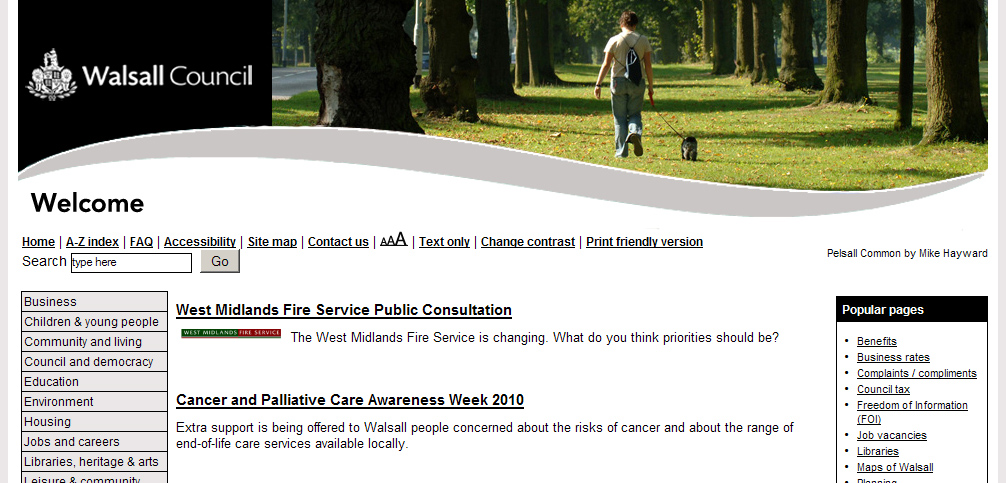
As part of a web refresh, Kev designed a Flickr friendly header that woud apply across all pages.

Next the pictures. A comment was posted on the Walsall Flickr pages to flag up what we were looking to do. We asked people to add the tag ‘walsallweb’ to each individual picture if they wanted the shot to be considered.

We were staggered to get more than 400 shots tagged for consideration in three days. An amazing response that showed the community support.

The postbox shape of the header ruled out scores of images. We also steered clear of people shots because of any problems with permissions.

The first shot was a canalside image. By linking back from the council site to the original Flickr image we embraced the web 2.0 approach of sharing.

The image got more than 150 hits in just over two weeks.

This is the revamped Walsall Council website that celebrates our residents’ work.

SIXTEEN THINGS WE LEARNED…

1. Ask permission. Photographic copyright by default lies with the photographer. Even if there is a creative commons licence available I’d still ask. Just to be on the safeside.

2. Ask permission to name and link back to the original picture too. For some people photography is a hobby they don’t want publicity for.

3. Rotate images. Try and use pictures from around the borough. Not just the photogenic park.

4. Rotate photographers. Share the love around.

5. Use freelance pictures too. But ask permission. The licence you may have originally negotiated may only be for print use, for example.

6. Be seasonal. A cornfield in summer sun looks great in August. It may not be so at Christmas.

7. Change the shot regularly. Two or three weeks is enough to freshen up the site.

8. Stage a competition to encourage participation.  Post a topic.

9. Use Flickr images across the site. A cracking shot of a park would work well on the park pages, for example.

10. Be aware of your policies towards people. Do you need to get permission forms signed in order to use the image for publicity.

11. Join Flickr. Contributing to the Flickr community is a good way to build bridges and understand how it works.

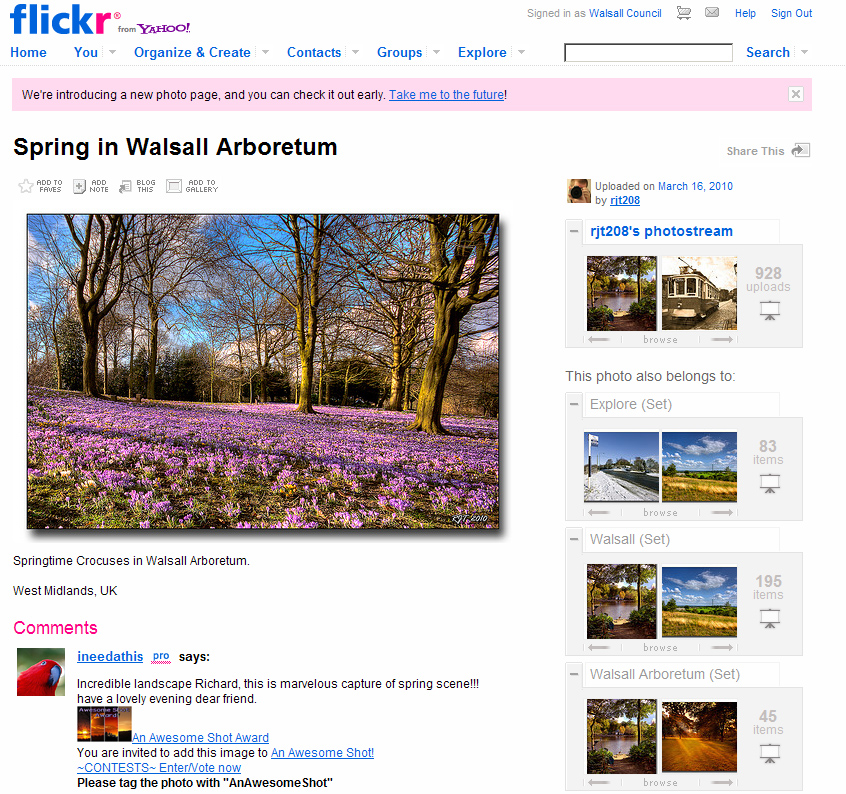
12. Acknowledge using a shot via a comment under the picture from the council Flickr account. Comments are a social part of Flickr and a way to give praise.

13. Create a gallery. A page on the council website to gather the header screenshots.

14. Stage a Flickr meet. Generate content and allow residents to take shots of their landmarks and building.

15. Showcase your area. It’s a chance to really show off.

16. Skill up. Make sure there is the skills base for several team members to add content.

LINKS:

bccdiy.com – A website for Birmingham put together by bloggers that uses Flickr images brilliantly.

Lichfield District Council – Some lovely shots of the Staffordshire city of Lichfield using Flickr.

San Fransisco’s District Attorney’s Office – Great blog on how a US office is now using photo sharing.

LGEO Research – Good blog by Liz Azyan on how Lichfield used user generated content.

Coventry – How Coventry City Council use Facebook to showcase official images.