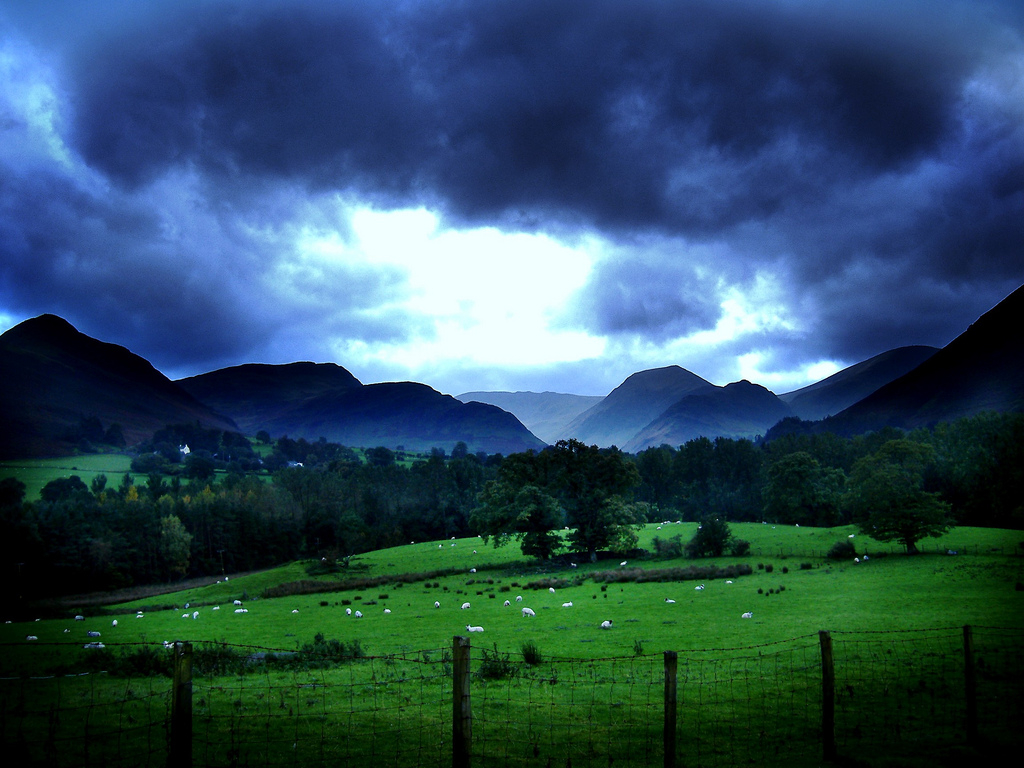
GREEN DIGITAL: How parks and countryside can use social media…

If William Wordsworth was alive today he’d be using Twitter.

Not the old stick-in-the-mud he became but the young man fired by revolution.


Why? Because he celebrated the English countryside through the media of the day.

How we think of the landscape was shaped by Wordsworth. Before him, mountains were frightful places. After? Beautiful. And Willie cashed in with an 1810 Guide to the Lakes that was the iphone app of its day.

Exploring how our countryside team could use social media made me trawl through some examples.

Whoever said places work can really well on social media were bang on. That’s especially true of parks and countryside. So how is social media being used by to promote the countryside? There’s some really good ideas in patches out there but nothing fundamentally game changing that makes you sit up and write verse. That says to me that there is plenty of potential.

Photography should be at the heart of what the public sector does with countryside and parks. Why? Because a picture tells a 1,000 words. Because they can bring a splash of green into someone’s front room or phone at one click. Criminally, many sites should be promoting the countryside relegate images to a postage stamp picture.

Here are 10 interesting uses:

1. The British Countryside Flickr group has more than 4,000 members and some amazing images. It’s a place where enthusiastic amateur photographers can share pictures and ideas.

2. Peak District National Park chief executive Jim Dixon leads from the front. He blogs about his job at www.jimdixon.wordpress.com and tweets through @peakchief. It’s a good mix of retweeting interesting content and puts a human face on an organisation.

3. Foursquare, Walsall Council added a landmark in a park as a location. The Pit Head sculpture in Walsall Wood was added to encourage people to visit and check-in. You can also make good use of ‘tips’ by adding advice.

4. On Twitter, @uknationalparks represents 15 UK national parks run a traditional Twitter feed with press releases, RTs and some conversation. With 2,000 followers it’s on 145 lists.

5. But you don’t have to be in a national park to do a goods job. In Wolverhampton, @wolvesparkies have a brilliantly engagingly conversational Twitter stream. There is passion, wit and information that make most councils seem the RSS press release machine that they are.

6. National Trust have an excellent Facebook profile. You may get the impression that members are 65 and own a Land Rover. That doesn’t come across here. They observe one of the golden rules of social media. Use the language of the platform. It’s laid back and it’ll tell you when events are planned.

Yorkshire Dales by Chantrybee

7. Even more relaxed is the quite new I Love Lake District National Park is quite brilliant. It allows RSS, it blogs and it really encourages interaction. Heck, they even encourage people to post to the wall so they can move shots into albums.

8.  On YouTube, West Sussex County Council have a slick short film on tree wardens that deserves more than 45 views in five months. Or does this show how much take up there is on YouTube?

9. The rather wonderful parksandgardens.ac.uk is an ambitious online tool for images of 6,500 parks and gardens and the people who created and worked in them. @janetedavis flagged this up. It’s a project she worked on and she should be proud of it. There’s a school zone to to connect to young people too and is populated by google map addresses and photographs. Really and truly, council parks and countryside pages should look like this but mostly don’t.

10. Less a government project, or even social media Cumbria Live TV celebrate the landscape they work in utterly brilliantly. Slick and powerful broadcast quality three minute films do more than most to capture the jaw dropping awe of the fells. They self-host some brilliant films on a changing site. Check them out here.

EIGHT things you CAN do aside from write bad poetry about daffodils and shepherds called Michael…

1. A Facebook fan page to celebrate a park or open space. Call it I love Barr Beacon. Yes, the Friends group can use it as a meeting place. But naming it after the place not the organisation leaves the door open to the public too.

2. Give a countryside ranger a Twitter account. Use @hotelalpha9 as an inspiration. Let them update a few times a day with what they’ve been up to. Post mobile phone pictures too.

3. Despite a dearth of amateur good examples there’s potential in short films to promote countryside. You only have to point a camera at something photogenic for people to come over all Lake Poet.

Flowers by Vilseskogen

4. Start a Flickr group to celebrate your patch of countryside. Walsall has 1,000 acres of parks and countryside with amazing views and vistas.

5. Start a blog. WordPress takes minutes to set-up and after messing around only a short time to master. Tell people what you are up to. Whack up a few images. Lovely. For no cost.

6. Make your countryside and parks pages a bit more web 2.0. Use mapping to set out a location. Use Flickr images – with permission – to showcase the place.

7. Add your parks and countryside to a geo-location site such as Foursquare. If the future of social media is location, location, location then venues, landmarks and places will score big.

8. Text. With more mobile phones in the UK than people sometimes the humble text message can be overlooked as part of the package of ways to connect with people. Most councils are also text enabled. Create info boards around a park or countryside with numbers to text to recieve info on what they can see. Change it for the seasons to make best use.

Picture credits:

Newlands Valley, Lake District, UK: Dan Slee.

Wordsworth: Creative commons courtesy of the University of Texas Libraries, The University of Texas at Austin.

Yorkshire Dales: Creative commons courtesy of Chantrybee http://www.flickr.com/photos/chantrybee/2911840052/

Flowers: Creative commons courtesy of Vilseskogen http://www.flickr.com/photos/vilseskogen/4182443498/

CASE STUDY: How Walsall museum is cooler than Ben Stiller

In Ben Stiller’s  blockbuster ‘Night at the Musem’ exhibits burst to life when the public aren’t around.

Cowboys and Indians come alive and a giant dinosaur plays fetch with a bone.

Walsall museum stores aren’t quite on a par with Washington DC’s Smithsonian but one thing is the same: You’d be amazed what you can find.

Thousands of items are stored as only a fraction can be put on public display at one time.

So how would social media connect a museum stores with residents? Here’s how. In a way that is way cooler than Ben Stiller.

THE EVENT ITSELF…

One Spring Saturday, photographers of the Walsall Flickr group were given special access all areas to take pictures at Walsall Council’s museum stores.

Street signs, an ARP helmet, and typewriters were just some of the treasure trove.

So were items of the nationally important Hodson Shop collection, a huge collection of working class clothes from the 1920s to the 1950s.

Eight photographers spent more than two hours poring over hundreds of artefacts.

What resulted in an amazing explosion of pictures of often rarely seen treasures. Take a look at some of the shots here.

More than 150 images were posted on Flickr in the days after and more than a dozen positive comments were posted on the group’s discussion board.

PLANNING FOR THE EVENT…

Why bother? Why arrange this?

It’s as simple as this: what’s not to like about pictures of Walsall artefacts taken by Walsall people?

Simple as the idea was, three months of planning led to the event itself.

Much praise needs to be given to talented photographer Steph Jennings (@essitam on Twitter) and the forward-thinking Walsall museum curator Jennifer Thomson supported by collections officer Catherine Clarke. Why praise? Because both parties started from different positions and arrived at not just a workable compromise but a groundbreaking piece of work that sets new standards.

REACHING AN AGREEMENT ON  COPYRIGHT CONCERNS…

At the heart of everything was copyright.

Museums traditionally are very careful to guard copyright of their artefacts.

On the flip side, photographers are very careful to guard their copyright too.

In the past, museums have allowed photographers to take shots only in highly controlled circumstances with copyright signed away.

The Walsall approach was different.

The compromise that was brokered was this: photographers retain copyright so long as they accepted that they wouldn’t be able to bring tripods to take saleable pro shots.

That was fine as the Walsall Flickr members didn’t want to sell images.

The group also agreed to limit the size of the shots they uploaded to 1MB and agreed to ask permission before they used the images.

Crucially, what made this process work was the genuine commitment to make the event work by both Steph and the museum team.

The compromise permission form can be found here.

When social media works well it sees a two way discussion. Brilliant things can happen.

An unexpectedly marvellous spin off led to the setting-up of a museum Flickr group to encourage people to submit images.

AN UNEXPECTED SPIN-OFF…

This isn’t just shots of the museum but a place where, as Steph suggested, pics can now be submitted for ‘shadow’ exhibitions. Planning an exhibition on seaside holidays? That shot of Great Aunt Maude paddling at Weston-super-Mare can be submitted and used as part of a revolving powerpoint of similar images. That’s something the whole family can go and see. Excellent.

This isn’t a Walsall Council success story, for my money. This is a Walsall success story. It was the coming together of museum staff, the communications unit and most of all the enthusiasm of the borough’s thriving and talented Flickr group that made this work.

What we found can work here can easily work anywhere.

Hosting a Flickr meet: Five benefits to the museum.

1. Connecting with non-traditional audience.

2. Showcasing exhibits and helping to find an online audience for heritage.

3. Art. Great pictures are just that. Art. What better way to showcase your artefacts?

4. A set of marketing pictures. At Flickr members’ suggestion the group were happy for their images to be used by the musem. Many amateurs are keen to get an audience for their work in return for a link to their Flickr page and a pic credit.

5. Pictures to link to via a Twitter stream.

Attending the Flickr meet: Four benefits to the photographer.

1. Rare behind-the-scenes access.

2. Being able to retain copyright of images.

3. A unique photographic challenge.

4. A chance – if you are happy to – to showcase your work through council marketing.

Thanks to: Jennifer Thomson and Catherine Clarke from Walsall museum. Steph Jennings and the members of the Walsall Flickr group who attended the session.

BOSTIN SOCIAL: Is it time for a #hyperlocalgovcamp?

As brilliant ideas go the ‘unconference’ is as good as tea and a slice of cake on a summers day.

Get like-minded people in one place and then decide what you are going to talk about on the day. You’d be amazed at the hot house ideas that emerge.

Believe it or not the first event described by such a term was the XML Developers Conference of 1998 in Montreal in Canada.

How does an unconference – or Barcamp – work? Basically, four or five rooms are used with different subjects being discussed in each in hour long slots. Feel like saying something? Just chip in. It’s as simple as that.

They work brilliantly in and around government where there is a willingness to share ideas without being hampered by private sector hang up about competition and bottom lines.

They work well in the hyperlocal community too – Talk About Local have run excellent events – and they’ve even gravitated into the travel industry.

Some of the most exciting thinking I’ve come across has been at unconferences. It’s not exaggeration to say Localgovcamp Birmingham in 2009 utterly revolutionised the way I think and approach my job.

Elsewhere, UKgovcamp in January saw around 120 people with five rooms and eight slots. That’s 32,000 possible combinations. In other words, a lot of knowledge and conversations. Coming back from one such event in London as the train was passing through the Oxfordshire countryside one clear thought struck me.

Isn’t it about time we made the brilliance of the unconference fit into the day job?

Invariably, those who go are innovators. This is great. In local government, there is a need for these key events every few months if for nothing else than the sanity of those who blaze a trail sometimes with little support. But how do you get the message through to the 9 to 5-ers and policy makers who would also really benefit?

It’s an idea I’ve kicked around idly with a few people. Myself and Si Whitehouse mulled this over at the London Localgovcamp. I like the phrase ‘Locallocalgovcamp’ he came up with. It has the spirit of localgovcamp but it’s a lite version.

What it may be is this: A space where ideas could be kicked around in the informal, unconference style.

But crucially, there maybe an item or a hook pre-advertised that may encourage slightly less adept to come along. Besides,  it’s easier to convince your boss to let you go to an event if you know you’ll get something out of it. The pitch of ‘Cheerio boss, I’m off now to drink coffee with geeks and I may just learn something’ is not as compelling as ‘Cheerio, boss, I’m going to this event to learn x and if y and z too.’

The idea of the local meet-up  itself is not especially something new.

London digital people in government do something called ‘Tea Camp’. A 4-6pm slot in a department store cafe. Tea. Cake. Conversation. All seems dashed civilised idea. Besides, there’s a critical mass all working in a small area.

Perhaps it’s time for a regional version of this. The West Midlands where I live and work sees an inspiringly vibrant digital community. There is also seven councils within a 30 mile radius.

So what would an as-part-of-the-day-job West Midlands bostin social event look like? 

Two hours? Two rooms? Two sessions? Or is that too short?

Pork scratchings?

What do you think?

Creative commons photo credit: Barcamp: Scott Beale / Laughing Squid laughingsquid.com.

MY C90: Mixtapes are the original social media

Once upon a time there was something more powerful than Twitter, MySpace and Facebook combined.

It was a platform that brought people together and allowed a you a chance to paint on a blank canvas with music.

This, ladies and gentleman was the mixtape.

This was a cassette filled with tracks you’d selected. It wasn’t just art. It was an art.

For over 25s the mixtape was the status update of the day. They could be a love letter, a  sign of friendship or the grandstanding of musical knowledge. All recorded across two sides of a C90 cassette with 45 minutes on each side (or if you were a real oddball, a C60).

From the 1970s to the mid-1990s the cassette was a standard medium for music. With my bedroom too small for all but a ghetto blaster cassettes were the way I listened to music. I wasn’t alone. As a teenager, music was massively important. It help shape who I was. Through it all, mixtapes were how I circulated my thoughts.

Brian Eno used to make mixtapes for his mates. He’d record slow classical music movements back-to-back. They were a prototype to the ambient music he pioneered.

“Composers hadn’t caught up,” he recalled on BBC Radio Four’s Frontrow .

“People didn’t buy records and sit at home between two speakers listening to an LP.

“They bought music and they were cooking or washing up with music in the background.

“New technology means new music. Always.”

In 1990, more than 400 million cassettes were sold in the US. Many for home taping and unlike the slogan no, it didn’t kill music. But what did die was the cassette as a popular platform. By 2007 barely 200,000 cassettes were sold in the US. Those figures are likely to be reflected in the UK.


SO, WHAT ARE THE MIXTAPE RULES?

When making mixtapes I’d arrived at a series of golden rules. Always start with two fast paced corkers one after the other. Make the third slower. Surprise with a build between fast and slow. Be unexpected. And never, ever let the tape run out before the track finished. Ever.

In High Fidelity, Nick Hornby’s story of a music obsessive the mixtape is a way repressed men could communicate. He impressed his girlfriend with a mixtape.

In the late 1990s powered with red wine I  compiled a cassette for a girl.  With Stereolab, The Stone Roses, The La’s and The Beatles it was a combination of care and bravado. Just enough sensitivity with a layer of cool disregard just in case.

The girl who I made that tape for 12-years ago, dear reader, is now my wife. The tape? Somewhere in the loft.

MIXTAPE NIGHT SCHOOL? VIA TWITTER?

A rather marvellous conversation on Twitter sparked the idea of Mixtape night classes. Like woodwork or macrame these skills could be kept alive at Stafford College. What would those sessions look like? Check @janetedavis’ quite excellent Mixtape night school syllabus. There is input there from @sarahlay and @jvictor7 too.

Feel free to contribute your own…

Creative commons credits

Cassettes Erica Marshall

Mixtape links

Philip John’s excellent blog on how Spotify risks failure by not tapping into the social side of compiling play lists is here.

Jim Anning’s Twitpic of his mixtape. I could have had a borrow of that back in the day. The shot is here.

A mixtape USB stick. The dream present for geek music lovers over 25. Amazing. Thanks to @cahrlottetwitts it’s here. 

You can rely on Flickr for having a mixtape group. They’re here.

Steph has written a fantastic post about the mix CD that her chap James game to her in the mid-1990s. It shows brilliantly the stories behind the homemade selections. Read it here.

Epic visionary Sarah Lay has written a  great piece on what the mixtape means to her. It’s a great read and it’s here.

Jamie Summerfield blogged about how a mixtape helped provide the answer after his father died. You can read it here. 

This is genius. An idea by Andrew Dubber for a mixtape making service was picked up by a Canadian web developer who created this wonderful, amazing, brilliant thing here.

STOP PRESS: Are seven income streams the future of hyperlocal news?

 Unless there are six or seven income streams a hyperlocal site won’t pay for itself.

That’s the verdict from the excellent Future of News West Midlands event in Birmingham.

Depressing? Not really. Realistic? Absolutely. And there’s a surprising amount in common between hyperlocals and local government web experimentors like me.

This rather excellent event at Birmingham City University drew web entrepreneurs, hyperlocals and newspaper people.

Forward looking rather than finger pointing it looked for solutions and answers rather than blame.

The seven income streams idea for hyperlocals prompted debate about what those streams could be. Straight forward banner ads emerge from the print model. But then what?

Actually, a whole myriad of ideas that the show web as a vibrant place for entrepreneurs.

Picture framing, listings, ad features, hyperlocal t-shirts bigging up an estate or area and PR services all emerged as potential solutions. There was even a natty idea to maximise dead air time on pub TVs.

However, the danger is the cash cow you chance upon replaces the hyperlocal reason for doing it in the first place. Besides, what works in one town may not work in a different estate.

But surely this lack of sure funding means hyperlocals are doomed? If you were an accountant, yes. You could be right. And if you were looking at these sites to make piles of cash.

But then balance sheets don’t count the enthusiasm, community spirit and zeal many people are powered by.

So, wearing my local government what what does all this mean?

First, there’s still demand for local news, for one. And a passion for an area.

But if something really did become crystal clear it’s this: there are barriers to hyperlocals as we’ll as local government. They just have different labels.

For hyperlocals it’s lack of time and the prized extra time seven income streams can bring.

For local government, who can have a degree of funding, it’s lack of time and the barriers a chain of command – and IT departments – can bring. We may want to deploy leftfield ideas. It’s just not always possible.

Both sides can be forgiven for looking enviously at the other.

Yet, for all these obstacles there are some brilliant ideas taking shape in all corners of the web in the public and private sectors.

There’s no golden bullet for the future of news but I’m convinced the answers will be found through pioneering spirit plus a passion for an area.

That’s not unlike how good web ideas will succeed in local government.


Creative commons credits.

Abstract image www.imageabstraction.com.

Corrected journal Judge Mental

COFFEE VIA WIFI: What makes a Social Media Cafe work?

 “Given enough coffee,” someone famous once wrote “I could rule the world.”

Bet they weren’t drinking Mellow Birds, though.

There’s something brilliant about a good cup, convivial company and the caffinated exchange of ideas.

It’s no surprise that Social Media Cafes have sprung up across the globe as the rise of social networking spreads. There are more than 20 in the UK inspired either consciously or unconsciously by London’s Tuttle Club and Lloyd Davis.  They are listed here.

Aside from the general social media coffee drinking government (local and national) in London provide the quite marvellously titled Tea Camp. 

Birmingham has an inspirational Social Media Cafe, but then again Brum is a hugely inspirational digital place with a vibrant grassroots community. I like the way it’s monthly cafe describes itself as: “a place for people interested in social media to gather, get acquainted, chat, plot, scheme, and share.”

But what makes a good one? It’s not always enough just to do it Field of Dreams-style ‘build it and they will come.’

Twelve months on from the first meeting of the Black Country Social Media Cafe a few thoughts struck me.

Of the 20 who came to the first meeting in Costa Coffee, Wolverhampton organised by David Stuart three remain regulars including David, yet far more interesting people have come along to take their place.

We’ve met in six venues in three towns sometimes daytime, some times not.


Here are some thoughts which are by no means a definitive list ….

You can’t please everyone all the time.

Twitter people seem more receptive to Social Media Cafes.

There’s people who can’t come to events in the daytime. Ditto evening.

Big cities with creative sectors can support a ‘turn up and chat’ Social Media Cafe. Small towns have less chance.

Smaller communities respond better to events with some networking and speakers.

People with jobs who need something to show for disappearing out of the office for two hours respond to speakers.

A Facebook and a Twitter presence are a must.

Don’t rely on old media for publicity. The BCSMC were told by one reporter that they wouldn’t publicise the event since: “this was a competing medium.”

Online polls to decide venues don’t work. Ask David Stuart.

 It’s better to have a leading figure who is not anti-social – particularly when meetings are arranged around online polls (only joking, David).

Somewhere close to train or bus links helps.

An arts centre or a place where creative people hang out is a good place to hold a cafe.

If you’re looking to cover a region or a county a big, big section of people just won’t travel. The prospect of some Stourbridge types travelling to Walsall, for example, is on a par with Mars exploration.

Get somewhere that sells good coffee. It’s more important than wifi.

The law of 4th XI cricket applies to this the same as other voluntary organisations. A few people do a lot. If 40 people say they’ll come, 10 will.

Creative commons credits

Laptop lass, cafe – Scott Beale Laughing Squid

Coffee montage – Nick Bilton

DAY TO DAY DATA: An idiot’s guide to what the open data revolution means for local government

Okay. Cards on the table. For the last 12 months I’ve been coming across geeks who have been banging on about data with a religious zeal.

You can see them wherever digital people meet-up with their Atari t-shirts and their Mash the State badges.

Internet creator Tim Berners-Lee a while back got an entire conference to chant ‘free the data!’ over and over.

Why?

What the flip is data? Why the flip should I be bothered? I’m just a local government press officer.

It was Tom Watson MP who I first heard talk about data in the summer of 2009 at the Black Country Social Media Cafe.

Gradually, after scores of conversations, blog reading and thinking it’s started to make some sense.

What has emerged to me is a picture of the potential for nothing short of a revolution. In life and by extension in local government.

What is data?

It’s information. It may be bicycle accidents. It may be crime figures. It may be the location of street lights or a leisure centre.

Pretty boring, yes?

On it’s own probably. But it starts to get really, really interesting when that information gets presented in an easily digestible way. Like on a map, say.

It gets even more interesting when several streams of information are put on the same map. It can make the world we live in look a different place.

The bicycle accidents map is a brilliant early example of how this can work.

Isn’t that only of interest to cyclists?

Yes, but that’s the whole point. It’s information – or data – that’s buried away which is fabulously interesting if you were a cyclist. You could find out where the accident blackspots were and avoid them. Or maybe campaign for something to be done about them.

The open street map is one such editable map with scores of snippets of data.

In the West Midlands, the MappaMercia project have kicked some ideas around. The gritting map of Birmingham is one example of turning data into something interactive. It plots gritting routes around the city which are treated in icy weather.

Start to make sense?

Here is a Q and A. It’s an idiot’s guide to data written by an eejit after talking and listening. It’s not a definitive. But it’s one take on what data will mean for local government.

What is data?

Data is information. Simple as that. Broadly speaking, this can be on a whole range of subjects. It could be weather data, news data, scientific data or government data. Even what time the 404A bus route runs from Cradley Heath to Walsall can be classed as data.

What about personal data?

All that stuff isn’t really of interest to enthusiasts who want to build maps and mess about with things. However, every time you use your Tesco Clubcard that data gets stored by Tesco. The supermarket giant then use that to build a picture of what lines are doing well and also a snapshot of your shopping habits.

Isn’t data available anyway?

If you are Sherlock Holmes and you look hard enough there’s a stack that could be found. But that’s just it. In the 21st century we expect more than just that information is stored in filing cabinets that may or may not be open to the public twice a year. In 430 different locations (one for every local council).

But isn’t data about bus routes and bus arrival times like, really, really boring?

To you maybe. But if you catch the 404A from Cradley Heath you’d want to know when the buses left and – here’s the nub – how reliable they were.

What is a ‘mash-up’?

This is where information has been taken and presented in a different format. On a fun level, the United Cakedom mash-up plots where cake reviews were carried out. There’s also a picture and a link to the blog that carried them.

Yes, but what does this mean for local government?

It means more transparency.

It means that people can see what is going on. It can also means that better informed decisions can be made by decision makers. That has to be good.

What would the average council officer think of making data freely available?

Frankly, they may be terrified.

Why?

If you are working at a particular coalface you may think that the information you are collecting is actually yours.

It can be sat on an officer’s hard drive and jealously guarded.

The officer may be worried at how this information plays out amongst residents. It could lead to criticism and awkward questions being asked. That’s democracy.

Why should local government officers not worry?

Frankly, many of the decisions about releasing data are being made at a very senior level in Government. More than 3,000 data sets – that’s packets of useful information – have been made available by the British Government via data.gov.uk.

Are there any amusing examples of data worry?

The Localgovcamp event in London recently heard of an example of how the Royal Mail stepped in to ask a council to stop mapping Victorian postboxes as the information ‘could be of use to terrorists’.

There was also the worry that a grit bin map could be used by grit thieves at a time of short supply.

What’s all this fuss about data.gov.uk?

This is a website for masses of data to be made available.

What sort of information can be found there?

It’s a range of public information from birth rates to accident statistics to death rates.

Isn’t data.gov.uk difficult to understand to the lay person?

Yes and no. It’s all in one place which makes a start. But the real beauty is when web developers get their hands on it and make easy to use applications like the iphone ASBOmeter that tells you where and how often anti-social behaviour orders are handed out by courts.

What about council websites? What does this mean for them?

Previously, there was effectively one door to knock on for council information. The council website. That’s changing.

As data becomes freely available anyone tech-savvy can build a website and display council data. Remember, as taxpayers it is effectively theirs.

Remember the bicycle accident site? People would be more inclined to go there rather than turn detective. See? See how it starts to work?

Do council websites do nothing then?

No, not at all. It means that as the bar has been raised to present information council web people will have to learn new skills. Interactive mapping is a must. Simply posting a pdf that won’t show up in a google search just isn’t good enough.

Is this political?

Different political parties are starting to construct policies around it. It’s not for me to comment on the rights and wrongs of those parties.

Undoubtedly, in local politics the trends and anomolies thrown up by open data will enter into the political arena.

So, this is all about big government then isn’t it?

Not really. There’s a stack of data collected by government both local and national.

There’s also a lot more which individuals create, either consciously or unconsciously. It happens every time you use the web, for example. Google checks where you are clicking so it can rank pages accordingly. When you follow someone on Twitter data is collected. Add a picture to Flickr and more gets created.

Can we go off as local government officers and build Google maps? And what about Ordnance Survey?

Err, no. No blog about the public sector and maps is complete without a line about Ordnance Survey. This is the state-owned organisation that licenses people, companies and state owned bodies, such as councils, for the right to use maps.

Open data people get really cross with OS. It’s our data, they argue.

Right now, there is a row going on between OS and Google which means that local government people can’t use Google maps. This may change in the near future.

Not heard enough? What does world wide web creator and brains behind data.gov.uk Tim Berners-Lee say about it?

There is a brilliant TED talk on data which should be required viewing. You can view it here.

During it (at about 4 minutes 30 seconds) he shows a clip of Hans Rosling using data visualisation to shatter a commonly held myth about poverty. People in non-western countries die early with big families. Right? Wrong. Not any more they don’t. He used birth and death data to create an animated chart to bring alive his argument.

The original talk by Hans is here.

This is what Tim Berners-Lee says: “Data drives a huge amount of what happens in our lives.

“I want to think of a world where everyone has put data on the web and so everything you imagine is on the web.

“I’m calling that linked data. It’s about making the world run better.”

If you were looking for a starting point, take a look at Tim Berners-Lee’s six minute film here on how that data stuff and people who knew what they were doing helped save lives in Haiti in 2010.

SIX things local government people can do:

1. Remember that data collected by local government doesn’t belong to local government. Or the officer that collected it. It belongs to residents.

2. Realise it’s going to happen anyway. It’s not your decision. Open data is often Government level.

3. Start using data to feed back into the decision making process. Maybe there is a site out there that can be used?

4. Raise the bar when presenting information on council websites. Think maps. Think RSS feed too.

5. Realise that data no matter how boring to you is madly interesting to somebody somewhere.

6. Look for data that can be made public. A map with layers to show who your councillor is, where the leisure centre is and where the library is is a start. Add past election results too.

Start to make sense now?

Creative commons credits

Data – Patrick Hoesly, Bike – Kicki, Seventies computer – AJ Mexico, Caramel – Matthew Murray, Handheld – Zach Klein, Tim Berners-Lee – Farm4Static.

MAPPING FUN: Could Foursquare work for local government?

It’s relentless this social media lark. One minute it was MySpace. Then it was Twitter. Whatever happened to Friends Reunited?

The latest in this relentless onwards march is Foursquare. What the heck is Foursquare?  Basically, it’s a metrocentric social media platform that has locations and geo-tagging at it’s heart. That means places and plots on an online map.

By January 2010, according to compete.com, there were 600,000 unique users globally per month. Still way off the more than 300 million people signed up to Facebook. But it’s probably no coincidence that Google Buzz has emerged with mapping as an option.

How does it work? Basically, you ‘check in’ to good venues that you’d like to recommend, like museums, galleries and restaurants.

You can lay down recommendations too through ‘shouts’ at the locations. Maybe there is a great picture to see or a special dish that is worth a visit. The constituency of Foursquare are city-based 20 somethings who love exploring and being ‘seen’ at hot places.

It’s big in downtown New York. Not sure how it’ll work in rural North Yorkshire.

How it works is this. There is the tour guide part and the boy scout part. You are at somewhere good. You take out your mobile. You log onto Foursquare. You see if you can find somewher nearby that looks interesting. Maybe you are at somewhere good.  If it’s on you can check in. If it isn’t you can add it along with it’s address and postcode. You can ever make a ‘shout’ to your friends to let them know where you are.

And you can maybe leave advice for the next person to check in. That’s the tourist guide part of Foursquare.

The boy scout part?You score points through check ins. There is a weekly challenge to see who can score most points. New venues and other landmarks can see badges unlocked.

All fine, you are probably thinking. Great if you are 23 and live in Greenwich Village. But what exactly does this offer local government?

At face value, slim pickings. This won’t help you explain changes in council tax or let people know about school closures.

You also can’t take part directly as a council as you can on Facebook or Twitter. But after two months of using it as an experimentmyself  it’s started to emerge that some use could be made of it.

Where it starts to make sense is with leisure and culture. Your gallery, your museum and even your Town Hall and leisure centres could all be destinations. Why wait for them to emerge? Stick them on as locations.

You can also work with marketeers to put on offers for Foursquare users. For example, those with the highest number of check-ins at a venue can win the status of ‘Mayor’. The Mayor, once a week could then be rewarded with a free cup of coffee or a free swim. That’s the idea.

This is not going to be a game changer in the way that Facebook and Twitter have become. But it does offer interesting alternatives and what it does start to do is herald the era of mapping using mobile phones in a big, big way.

Remember, most mobiles that are sold come with GPS positioning capabilities. I’m convinced that the mapping capabilities of mobile phones will become massively significant in the future. This is the first platform to really take that seriously.

I also quite like the idea of encouraging people to be ‘friends’ with a venue. This kind of behaviour has worked well with Facebook, for example.

What local government social media visionaries could do…

1. Input key locations onto the Foursquare list. These can be picked up when people are nearby. Cafes, galleries and museums can all work. The New Art Gallery, Walsall for example, is on Foursquare as a location.

2. Offer a discount to the Mayor. You’d be amongst a few hundred locations globally that do.

3. Avoid cyber squatting by securing Mayor status on the Town Hall.

4. Check comments on your venues for feedback. Good service? Bad service? Listen and act.

5. Let the Mayor make a recommendation. Cecily Walker on her blog suggested that the Mayor of a library could be allowed to display their favourite book. Every week the Mayor could make their suggestion via a whiteboard. It’s an interesting idea.

Creative commons credits:

New York Philip Klinger

Walsall Lee Jordan

WEB: So, what makes a good council website?

This was drawn-up after the ‘What makes an ace local government website?’ session at #ukgc10 by Liz Azyan from Camden Council and also the #ukgc10 WordPress session. Some extra thoughts were inserted after…

You’re in a rush. You’re going swimming. You’ve three minutes to find out when the nearest leisure centre closes… and you’re face with a council website.
 
This could be a pleasant experience and for many it is. But if you’re unlucky  you’ll be faced with a sprawling brick wall behemoth of a website written in a funny language riddled with jargon.
 
Oh, Lord.
It’s not gritting information, for example. It’s a winter service plan.   
Your opinion of your council suddenly plummets and you hurl abuse at the screen.
 
But ladies and gentlemen, it doesn’t have to be this way.
 
Liz Azyan’s session at the UK Government Bar Camp ’10 at Google was a thought provoking session with some cracking points.
 
Cards on the table at this stage. I don’t work in a web team. I work with them and more to the point I’m a council taxpayer who uses one.
 
Here are some points that emerged from the session — sprinkled with some that struck me afterwards.
 
What do people want?
 
They want to find the information they are after. Simple.


What do they often find? 
A website written in council speak with difficult to find pages presented poorly. In short a frustrating experience.
 

Tech frustration by CCB Images / Flickr

So, why bother with a council website?
 
It’s an argument that – surprisingly – seems still to exist in some quarters. Isn’t it just a big waste of money? Actually, no. Quite the reverse. After getting attacked for wasting money by TPA Lincolnshire Council responded with a cool, calm and brilliantly argued piece that argued that the cost of web was staggeringly lower than employing people to help face-to-face or over the telephone. It’s worth taking a look at.
 
What’s the average cost of contact via a council website?
 
For contact, read an occasion a member of the public needs to contact the council.
 
            Face to face              £7.81
            Telephone                  £4.00
            Online                         £0.17

 
Which does make you think. Vast resources get put – rightly – into a help desk or a one stop information shop. Often, web is seen as a poor relation.
 
There is also a theory that telephone numbers should be hard to find. If you have cost savings in mind pushing people towards the £4 option may not make good sense.


Do Local Government websites pay enough attention to design and appearance?
 
The hell they do. Some of them look utterly dreadful. There’s an organisation called SOCITM who seek to raise standards in government. Every year they survey Local Government sites on a checklist. Accessibility is key. So is usability. But nothing seems to get assessed on design.
 
One point that Devon’s Carl Haggerty made very strongly – which I totally agree with – is the need for this to change. Design and look IS important. If the website looks poor people won’t even get as far as starting a search.
 
As someone who has worked on newspapers and has put together magazines the look of something is fundamental. Look across the news stands. From the unscientific straw poll in the session colour seemed to be important.
 
Why should we bother to make websites better?
 
We need to improve because people’s expectations are higher.
 
We need to improve because at a time of tighter budgets web is a cost effective solution.
 
We also need to improve because while once council websites had a virtual monopoly on local information those days are changing.
 
As barriers are lowered – by things like WordPress and by the surge in hyperlocal blogs – others can do the job themselves. The case of the tech-savvy Birmingham residents who knocked up their own council website – bcc.diy.co.uk should send wake-up calls throughout local government. If you don’t do it, they are basically saying, someone else will.
 
As more and more data gets released web developers will find their own uses for it. Leisure centres? There’s an app for that. The days of the council website being a monopoly are ending. Smart people are just starting to wake up to that.
 
Yes, but it’s all about the home page, isn’t it?
 
The figures can vary widely. Around 15 per cent of people came onto the site through the home page from one council. That’s not much more than one in ten. A piddling figure. Especially when you take account the time and effort that goes into it. But in another council researched after the session was around 90 per cent.

Brent Council's opt in less busy webpage.

The moral of the story to local government webbies  is to research your web stats before changes are made.
 
 
Can you make your homepage less busy?
 
Yes. Brent council offers the option of the traditional busy page and a more simple one. That quite appeals to me.
 
So how do people navigate around your site if they do do that?

 
There’s your website search box. Which often isn’t that great. Even if it’s a google one, apparently. From the experience of several councils much time and effoft is wasted bu users here.
 
There’s your A-Z of services too.
 
There’s also the postcode search which to me seems rather attractive and far more relevant. If I lived in Baswich in Stafford, wouldn’t it be better to tell me what was on offer for me there?
 
There’s also the novel idea of a pictorial map. You point at it. You hover over the bits you want and you click through there. Directgov have a rather attractive planning map that does that.
 
Widgets. Redbridge Council have use this. It’s a similar theory to the igoogle approach where you compose the page that you want from the information that you want. The idea is great but feedback suggests that only small numbers of people have embraced this
 
The message from Liz’s session was that as far as search is concerned you need to pick one way and stick to it. Sites that try and do absolutely everything in the way of search look cluttered, busy and turn people off.

How about open source (and what the hell does that mean?)

At the WordPress #ukgc10 session the idea of WordPress as a web content managament system was talked about. There is much going for it. It’s open source. Which for non-geeks means that you don’t have to pay someone a lorry load of cash to buy it and maintain it. It’s free. You can download it from www.wordpress.com and web developers who know what they are doing can build you widgets so you can customise things to suit your ends.

The downloadable version of WordPress is from WordPress.org while WordPress.com is where you get your hosted versions.

There are plenty of examples of Government using open source. The 10 Downing Street web site relies on it in parts for it’s press operation. So do almost half UK government departments in one shape or another. It’s great if you need an emergency website knocked up at short notice.

However, the feedback was that there was  a 500-page limit on WordPress. That’s probably more than enough for some sites but bigger projects may be hampered by that limitation.  

But how about the Birmingham City Council experience? (insert clap of thunder here.)

There has been plenty written about the Birmingham experience. But if you haven’t come across it it’s a tale to strike fear into local government web managers up and down the land.

In short, Birmingham City Council appointed consultants to build their website. The final bill was more than many expected and wasn’t as good as people were expecting. It led to Press criticism.

The Birmingham bloggers build a DIY site when they were less than impressed with the council version.

There is a thriving community of bloggers and the digitally-connected in Birmingham. They decided to build their own DIY council site by taking the data that was publicly available and constructin their own website.

Based on open source and while it may look rough at the edges, it is a site born of social media and built by community-spirited people eager to do their own thing. That it cooked a snook at authority to boot was for some a bonus.

They came up with something based on a postcode search and using stunning Flickr imagery of their home city.  

It’s legacy will be more than a website. It’s legacy is a warning shot that internet users have a powerful voice and if you don’t provide them with something they’luse and be impressed by, they may well build their own. As a warning shot to council it’s there to be heeded.

So, how about asking people what they think of your site?

I’m impressed with the Camden Council Facebook group set up to see what people thought of their site. An impressive use of social media. Bold, imaginative and connecting directly to the online community. Magnificent. And a template to follow.
 
 
In a nutshell: So what would NINE really good things to do be?


1 Use pictures better. Pictures tell a 1,000 words and are a brilliant way of showcasing your organisation. Not just the arty commissioned ones. The Flickr ones too.
 
2 Choose a way for people to navigate about the site. And stick to it.
 
3 Don’t make your site busy. It looks awful. Simplicity works.
 
4 Don’t get too hung up on the homepage. Remember that few people can get onto your site that way.
 
5 Speak to the people in the calls centre. What subjects come up most often?
Shouldn’t that play some role in what appears on the homepage? And be well designed and put together?
 
6 In an A-Z of services think Yellow Pages. Put links in several places. For example, people could be looking at household waste in several places. Waste, rubbish or even trash
 
7 And finally, wouldn’t it be good if SOCITM took more account of design and look? That way we may all have better websites.

8 Use social media to see what people think. Use Twitter and Facebook. If social media is about a two way conversation then what better way of connecting with web-savvy citizens? 

9 Don’t rule out open source. It’s free. And one day someone with vision will come up with something that government can use.
 
Input for the #ukgc10 ‘What makes an ace website?’session included points from Dan Harris, Ally Hook, Liz Azyan, Sarah Lay, Martin Black, Stephen Cross and Andrew Beeken.

Flickr pics used with creative commons licence laptop (Jason Santa Maria) and frustration (CCB Images).

SOCIAL MEDIA: Your EIGHT step guide to getting started…

This blog post was inspired by #ukgc10’s local government hug session where one person asked for help in how to get started with social media. Some good pieces of advice came out. Here are some from the session and some that struck me afterwards…


THE 8 STEP APPROACH FOR GETTING STARTED….

You’ve read about social media. You may have thought it was a fad. Now you’ve been waking up at 3am with the gnawing thought that you’ll have to do something.

If you’re at this stage. Congratulations. You’re sharp. You’ve seen which way the wind is blowing. And, yes, it’s only going to blow harder.

So what to do?

Here’s some thoughts on how to go about turning your organisation into something fit for the 21st century.

It’s simply not enough to say that you must do it because Steven Fry does it. Or because it’s cool.

You need to construct a cohesive and persuasive argument backed by figures that will work with people who look on digital with the suspicious eye of a Daily Mail reader.


Step 1 – Look at the national picture.

More than 30 million people use social media in the UK, according to the most recent figures. Clicky Media’s figures are a good starting point.

You can compare this to national and local newspaper figures.

Locally, a 20 per cent dip in local papers is predicted by 2012 in weekly papers. In regional daily papers it’s more like 30 per cent.

In short: If you’ve always relied on your local paper to get your message out then think again.

Step 2 – Have a look at the sites.

There are dozens of social media sites.

For the sake of argument, look at six of the most popular sites.

YouTube, Facebook, Twitter and Flickr all do different things. For blogging, WordPress and Blogspot are key.

Don’t worry if it all looks an unclimbable. Rome wasn’t built in a day. Anyway, Microsoft billionaire Bill Gates has only just got round to joining Twitter himself. So, relax.

Join one if you like. See how it works. Get to know it.   

In short: Don’t worry about not getting your head around all of them.
Get your head around them one at a time.

Dive in! That water is great….


Step 3 – See what some inspired people say.

All you need is out there on the internet. The trick is, like anything, knowing where to look. You’ll find it a creative, inspiring and sharing place if you choose to join.

Check Mashable for basic guides to all this stuff. The guide to social media is a must. Follow the link and click download for Learning Pool Twitter guide.

There are some quality blog posts on the subject. Michelle Ide-Smith recently wrote a post that nails how to construct an argument in favour.

Have a look at these blogs for ideas an inspiration:

Nick Booth, Dave Briggs, Sarah Lay, Carl Haggerty.

If you join Twitter – and I’ve learned so much from it I’d seriously recommend it – I’d also recommend these:

@sarahlay – Derbyshire webbie.
@alncl – Alastair Smith, Newcastle web man.
@davebriggs – Local government social media specialist.
@timesjoanna – Former Birmingham Post reporter turned Times writer. Great for links.
@liz_azyan – Lives and breathes local government and social media.

@gecko84 – Teckie Arsenal fan.
@abeeken – Lincolnshire webbie.

@mmmmmmcake – A stream about cake, believe it or not.

@pezholio – Local gov webbie from Staffordshire who is borderline genius. Also likes real ale.

@talkaboutlocal – a window into the amazing world of hyperlocal blogs that can serve a town or even a housing estate.
@wv11 – a hyperlocal blog based in Wednesfield, Wolverhampton. Shows how a local site can use it.
@philipjohn – a website developer who is a useful font of information.
@mashable – the Twitter version of the social media blog.
@doristhecow – Anchor butter’s well judged use of Twitter. I love it.
@scobleiser – Silicon Valley geek who writes about tech news.
@walsallcouncil – Because their use of social media is really, really, really inspired (disclaimer: I help write it).


Step 4 – Create a social media map.

Work out what activity there is in your area. These figures are a clincher so take an afternoon out to build this picture.

Paul Cole and Tim Cooper in Derbyshire did one for their area. They used mindmeister although you could use an exercise book. It’s just as good and you don’t have to re-boot it. It lists all trhe social media activity they could find.

How?

Before you do, I’d find out the circulation figures for newspapers in your area. This is good to compare and contrast. The Walsall edition of the Express & Star, for example has sales of around 22,000.

For Facebook, there are 23 million users as of January 2010. Want to see how many are local to you? Log onto Facebook, then click the button marked ‘advertising’. Fill out an ad. Don’t worry you won’t get charged just yet. It’s then you reach the section that gets really interesting.

Here, you can ask Facebook how many people are registered within a 10 mile radius of a town. This gives some staggering figures. Click the box marked ‘location’ and put in the town you want to aim at.

In Walsall, in January 2010 there are 170,000 people on Facebook within 10 miles of the town. The population of the borough is around 250,000 and the 10 mile radius also spills out into part of Staffordshire, Birmingham and Wolverhampton. But, you get the picture.

There are therefore, around eight times as many Facebook users as buy copies of the Express & Star in the wider Walsall area, you may argue.

For Twitter, it’s harder to work out your area’s figure. Nationally, by November 2009 there are 5.5 million UK users. You’ll have to work out your area’s percentage of the national population, then divide the Twitter users by that percentage.

For YouTube, log on and search for your area or town. You’ll be surprised. Using the keyword ‘Walsall’ gave just less than 5,000 clips.

Same with Flickr. This is a photo sharing website. Count how many images of your patch there are. The Walsall Flickr group of more than 80 members, for example have around 5,000 iamges of their home borough.

WordPress and Blogspot. Search for your areas and they’ll crop up on blogs.


Step 5 – Get your arguments ready

There’s a brilliant few resources online with the most common arguments against social media and the counter arguments to deploy.

They work a treat.

Jeff Bullas’ blog on the subject is useful. So is this from SEO Blog. Google the word ‘reasons to use social media


Step 6 – JFDI Just flipping do it.

Now, if you are particularly brave you can cut to this one skipping step four entirely.

The argument goes like this. Just flipping do it. By the time anyone important notices it’ll have reached critical mass and harder to close down.

It’s not something I’ve done but other far braver people have and with great success. Will Perrin – @willperrin on Twitter – often talks about how he deliberately avoided asking permission to launch Downing Street’s petition site.


Step 7 – Call in an expert.

There’s a good quote about a Prophet never being recognised in his own land.

The translation of this is if you think they won’t listen to you they may listen to someone from outside.

It’s worked on several occasions with local authorities who have called in Nick Booth’s Podnosh company. Dave Briggs and Simon Wakeman from Medway Council have done similar jobs.

However, do be careful of people who call themselves social media experts. Or ninjas. Or any such rot. They’re almost certainly not and there are plenty of snake oil salesmen about right now.


Step 8 – Keep winning the internal argument.

Now you are up and running as nobody will be able to counter such stunning arguments it doesn’t end there. No, sir.

The social media head of one of Britain’s main parties once said that up to half his job is taken up with winning the internal argument.

Report back progress and keep a measure of followers and activity.

Banning social media is rather like trying to outlaw the telephone in the 19th century.

It’s a communications channel. We need to embrace it. Smile. It’s the future. And your children’s.


Pics: Used under a creative commons licence, Amit Gupta (Facebook), Badjonni (swimmers),  Dan Slee (Newlands Valley), Sean Dreilinger (mobiles) and the Little Tea Cup (Dan Slee).

Exit mobile version